In the last few years, artificial intelligence has moved from abstract curiosity to fully embedded technology that shapes how we work, learn, communicate, and even navigate the physical world. From automated customer support to AI-assisted creative work, these tools now sit quietly behind the majority of apps and services we use every day. But until now, most AI experiences have been fragmented. You used one interface for voice, another for text, and often had to switch between applications for maps, images, or other real-time visual information.
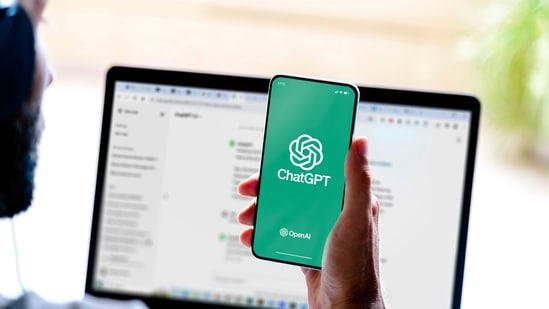
OpenAI’s newest update to ChatGPT attempts to eliminate that fragmentation entirely. With the launch of its unified voice-chat design, users can now ask questions, receive spoken answers, view maps, see images, and read scrolling transcripts all in the same interface. The experience aims to bring the natural flow of human conversation into the digital world, doing away with the long-time inefficiencies that define interaction with most AI systems.
The change may sound simple at first glance, but its implications are deeper. This shift isn’t just a cosmetic redesign. It represents a structural transformation in how people will communicate with AI systems moving forward and perhaps, how ChatGPT will communicate with us.
Why OpenAI’s New Voice Mode Matters
 Technology has a habit of evolving in tiny incremental steps. New versions feel like familiar features with slight improvements: clearer audio, faster response time, more stable voice recognition. Occasionally, however, a big leap emerges and that leap redefines expectations altogether. The combined voice-text-visual ChatGPT is one such shift.
Earlier versions of ChatGPT Voice worked more like a specialized voice assistant. You pressed a button, spoke a command, and received a voice-based reply. It felt futuristic, but it was also limited. If you needed to see something a graph, a product comparison, an image you had to exit voice mode or start a separate visual conversation. The flow broke. You lost the continuity of dialogue, and the “AI as a conversation partner” illusion shattered.
ChatGPT redesigned the voice experience to fix that very break. Now users can talk to the model as if speaking to a person across a table, and the response may arrive in multiple mediums at once:
-
Spoken explanation
-
Written summary in the same window
-
Uploaded image or generated chart
-
Live map updated in real time
It’s not only a convenience update. It’s a psychological one. The conversation becomes fluid again.
A Unified Interface That Mimics Real Human Interaction
Consider the way we interact with actual people in real life. You ask a friend about directions to a restaurant. They might tell you verbally, draw a rough path on a napkin, or open their phone and show you a map. The communication styles mix naturally. You don’t consciously switch modes; you simply follow whatever medium they choose to express a point.
Until now, AI systems lacked that conversational instinct. They operated as tools, not as dynamic communicators. You had to choose how you wanted to talk to them: text mode vs voice mode, image mode vs map mode. The new unified interface collapses those walls.
In ChatGPT’s redesigned ChatGPT, you can begin with a voice question “Where is the closest metro station from here?” and the reply might include:
-
A spoken response
-
A text description
-
A live map pinned with your nearest transit lines
-
Optional route breakdowns with walking or ride durations
No separate buttons. No extra toggles. No switching back and forth.
This feels less like controlling a machine and more like exchanging information with a guide who adjusts based on your needs.
Scrolling Transcripts: A Small Addition With Huge Impact
One of the most underestimated parts of the update is the scrolling transcript feature. Every spoken interaction appears as written text, line by line, inside the chat window. It might seem like a minor convenience, but it solves a significant real-world problem: memory and context.
Voice interactions are notoriously slippery. You hear a sentence, you understand it, and then you forget it, especially when dealing with complex information. Imagine asking the model for:
-
step-by-step guidance
-
brainstorming suggestions
-
financial advice
-
coding instructions
-
travel plans
-
medical symptom interpretation (hypothetical, not diagnostic)
If the response only exists in audio, you constantly rewind. You interrupt the voice. You lose track of earlier stages of the conversation. With transcripts embedded in the conversation, the user regains control.
You can scroll back three minutes later to recheck the name of a dish, a restaurant, a setting, or a key number. You can review how the AI arrived at a reasoning step. You can respond to something it said five minutes earlier.
The transcript is essentially your memory of the interaction. It legitimizes voice chat as a serious mode of communication, not just a playful experiment.
Maps and Visuals During Voice Conversation
 To understand why the integration of maps is a big deal, look at how traditional virtual assistants behave. Whether you ask Siri, Alexa, or Google Assistant to help you navigate, the experience normally breaks into two parts:
-
Ask the voice assistant
-
Receive the visual information in another app
You speak to the assistant but use your eyes elsewhere.
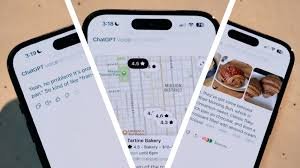
ChatGPT handles it differently. When you ask a travel-related question, the interface responds with voice, written text, and updated visuals inside the same environment. The model becomes both the narrator and the cartographer.
Imagine this scenario:
“I’m currently in Bangalore near Indiranagar. Can you suggest a good café for remote work, preferably quiet, with Wi-Fi, and open until late?”
The AI could respond with:
-
Spoken recommendations
-
A brief written list summarizing the choices
-
A live map with pinned cafés
-
Highlighted details like opening hours, distance, and price range
This isn’t just information delivery. It is decision-making assistance, designed for action.
Aiming to Reduce Cognitive Load
Human brains prefer seamlessness. Every time you switch apps, screens, or mental context, you expend energy a concept cognitive science calls “switching cost.” Most digital tools increase that cost.
ChatGPT’s approach is the opposite: reduce friction everywhere.
You don’t have to ask the model to “switch to text mode” or “send this visually.” The model determines the best communication mode for the moment. It transforms complicated actions into conversational exchanges.
Think about how elderly users interact with smartphones. They struggle because complexity hides behind buttons. A unified interface collapses much of that complexity into dialogue.
AI begins to function less like software and more like a collaborative human.
Better for Long Conversations, Deep Work, and Hands-Free Tasks
While casual users might enjoy conversational simplicity, the real beneficiaries may be professionals.
-
Drivers can ask for directions without touching their phones, while still seeing location visuals when stopped.
-
Students can record revision sessions, then scroll through transcripts to extract notes.
-
Designers or researchers can brainstorm ideas verbally and capture them automatically as text.
-
Busy parents can dictate recipes, reminders, or household tasks hands-free while cooking or multitasking.
Hybrid AI is not an upgrade for novelty; it is a productivity multiplier.
Voice Becomes the New Keyboard
Typing was once the center of digital communication. But speech is the more natural human impulse. We speak before we can write. We talk faster than we type. It’s instinctive, emotional, and often clearer.
The biggest challenge in voice-based AI has always been reliability. When voice interactions fail misunderstood sentences, awkward timing, repetition people give up. They revert to typing. It’s safe, predictable, and controllable.
The unified ChatGPT is an attempt to restore trust in voice.
No more “voice mode on” / “voice mode off.”
No more dropped context.
No more broken threads.
Instead, the user is free to move between formats as comfortably as they might during a conversation with a colleague or a friend.
And if you genuinely prefer the older layout, ChatGPT preserved it. You can switch to voice-only mode. The company has clearly recognized something important:
AI isn’t a one-size-fits-all product. It is a fluid communication tool, and its flexibility must match human diversity.
The Rollout Strategy: Slow, Iterative, and Real-User Focused
Unlike product launches that blast everyone at once, ChatGPT has adopted a staggered release strategy. The unified interface will gradually roll out across the mobile app and web. That approach isn’t accidental.
Voice synthesis, live visuals, real-time data analysis all require heavy backend compute. The infrastructure needs to scale reliably. Users need time to adapt. Bugs must surface and be fixed. Safety guardrails must evolve.
The new mode fundamentally alters how people treat the model. When you speak to AI the way you speak to another person, expectations rise. People expect emotional nuance, instant memory recall, context continuity, and accurate execution of tasks.
To handle this responsibly, the rollout must be controlled.
A Glimpse Into the Future of Human-AI Interaction
If we zoom out, the unified interface previews a direction that is emerging everywhere in technology: convergence.
-
Phones are also cameras and wallets.
-
TVs are also gaming consoles.
-
Cars are becoming computers with wheels.
-
Messaging apps are workplaces, banks, and shopping portals.
Artificial intelligence is joining its own convergence phase. Instead of dozens of separate bots built for specialized tasks, we are looking at single conversational AI systems that handle everything:
-
Teach me Spanish
-
Book my hotel
-
Organize my schedule
-
Explain quantum mechanics
-
Outline a thesis
-
Translate this email
-
Navigate to the nearest hospital
-
Generate product ideas
-
Rewrite this code
The interface becomes invisible. The medium disappears. Only the conversation remains.
Why This Update Was Inevitable
There are two reasons why a unified voice experience was destined to happen:
-
Humans communicate multimodally
-
AI must eventually become intuitive
We don’t naturally separate communication types. We talk, gesture, draw, point, ask, and clarify in the same breath. Digital experiences that force rigid modes feel unnatural.
As AI enters homes, offices, classrooms, and vehicles, its interface must align with how people already communicate in the world not the other way around. ChatGPT knows this. The update is not a gimmick; it is a step toward long-term interaction patterns.
The Real Challenges Still Ahead
Though impressive, the unified interface does not solve everything.
-
Privacy: voice recordings and transcripts raise questions about storage and data handling.
-
Context boundaries: conversational memory can become intrusive if not controlled.
-
Accuracy: visual information layered on voice must still be verified.
-
Accessibility: people with hearing or speech impairments need thoughtful alternatives.
The product is part of a larger evolution. It will continue to change. But it undeniably pushes the boundaries of what AI-powered communication can look like.
ChatGPT’s all-in-one voice chat experience combining speech, text, maps, images, and live transcripts is more than a software update. It’s a reshaping of digital behavior. It turns the rigid toggles of past technology into a fluid conversation. It makes AI a companion for hands-free tasks, in-depth research, and everyday decision-making.
The change is subtle in its wording but monumental in its impact. For the first time, interacting with AI feels less like operating a machine and more like engaging a partner who can speak, show, remember, and guide all at once. If this is merely the beginning, the next decade of AI interfaces will be defined not by speed or size, but by how naturally they blend into the rhythms of human life. To know more about ChatGPT‘s update subscribe Jatininfo.in now.