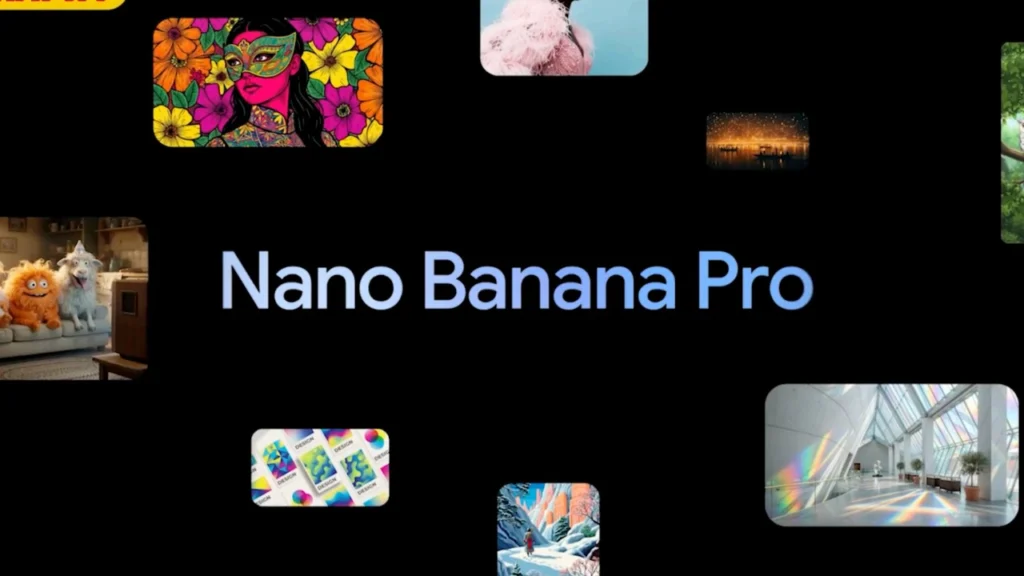
Google’s Gemini lineup has been evolving at a blistering pace. In the last few months alone, the company has rolled out Gemini 3 Pro and Nano “Banana Pro” oddly named, highly marketed, and surprisingly powerful. Both models arrived into a market already saturated with AI tools, yet the reception has been enthusiastic. Creators, developers, and casual users found the combination of lightweight performance and image generation capabilities genuinely useful.
Now, a new leak suggests that Google isn’t done. In fact, the company may be preparing an upgrade that could reshape how people use Gemini day-to-day not by making the AI smarter in the abstract, but by letting users interact with it more directly.
The rumor?
Gemini Nano Banana Pro may soon allow in-chat image annotation letting users draw, scribble, and write directly on AI-generated images.
It sounds simple. It may even sound basic. But make no mistake: this could become one of the platform’s most transformative additions.
A Feature That Quietly Changes Everything
The leak comes from X (formerly Twitter) user @testingcatalog, a well-known source for early glimpses of upcoming app features. In a screenshot shared online, a preview of Gemini shows two buttons: one for drawing on the image, and another labeled with “T,” presumably for adding text overlays.
If the leak is correct, users won’t need to generate an image, export it, upload it to a third-party editor, draw on it, then bring it back to Gemini for further refinement. They will be able to annotate inside Gemini itself before downloading or requesting next steps.
It’s the kind of quality-of-life upgrade that most users don’t know they need until they get it and once they do, it becomes impossible to go back.
Why Annotation Matters More Than People Think
 On paper, annotation sounds tiny. It feels like something we’ve had for decades in basic photo apps. But its significance in a generative AI workflow is massive.
Right now, most AI image generation tools rely on text prompts:
-
“Make the sky darker.”
-
“Add another building on the left.”
-
“Fix the hair.”
-
“Place a dog next to the fireplace.”
This back-and-forth can be frustrating, especially when the AI misunderstands something very specific. Tiny details get lost in translation, and users end up rewriting their prompts in ten different ways hoping to get the outcome they want.
Annotation changes the entire dynamic.
Instead of describing corrections, you can show them.
Draw a circle where you want an object.
Mark an area you want blurred.
Write a note next to a section, like: “Make this green.”
You go from abstract language to direct visual guidance. AI suddenly works with intention rather than interpretation.
The Creator Use Case Is Huge
Imagine you’re designing a YouTube thumbnail. You generate a dramatic sci-fi cityscape, but the character you want in the center is off to the right. Instead of typing out:
“Move the main character to the center of the image, leave the skyline intact, and crop the bottom.”
You simply draw a rectangular mask around the character and add a little arrow pointing to the middle. The system doesn’t need to guess. It sees what you want.
Professional artists and digital designers do this every day with stylus-based editing tools. Gemini bringing this capability inside a conversational interface bridges two creative worlds: AI generation and traditional editing. It makes the machine collaborate, rather than interpret.
Video Generation: The Real Killer Use Case
The leak’s explanation points to something bigger video creation using Veo 3.1, Google’s flagship video model.
Right now, many users follow a long pipeline:
-
Generate images in Gemini.
-
Export those images.
-
Annotate or label camera angles manually.
-
Upload them back to Gemini or Veo.
-
Generate the video.
It’s slow.
It’s fiddly.
It’s easy to mess up small details.
With annotation built into Gemini, that workflow becomes efficient:
-
You draw arrows where the camera should zoom.
-
You label a corner with “close-up.”
-
You highlight the character’s face and add “look left.”
The AI doesn’t just see your words it sees the geometry of your intentions.
That may not matter to someone generating cat memes or AI avatars, but it is everything to someone making structured cinematic content.
Going Beyond Text Prompts
If you have used generative AI long enough, you know the unspoken truth:
Text is a terrible medium for extremely precise instructions.
Language is ambiguous. Vision is not. We say “make the eyes slightly bigger,” and Gemini or Mid journey or DALL·E decides to make the entire face cartoonish. We ask for a small tree in the background, and we get a forest. Annotation converts design into coordinates. You don’t ask you instruct.
Draw a circle here → put object here.
Underline this → fix this portion.
Draw a cross through that area → remove it.
Humans think spatially.
AI models operate visually.
Annotations create a shared language between the two.
This Is How AI Teaching Should Work
Developers see an even deeper implication: annotation acts like a feedback system. When a user scribbles corrections, the model is exposed to structured reinforcement a more grounded alternative to instruction-tuning through text.
It’s similar to how teachers mark essays:
-
Red line: remove.
-
Check mark: good.
-
Margin note: clarify.
You don’t rewrite the entire essay you correct sections.
Imagine that dynamic applied to generated content:
-
You change composition through spatial instruction.
-
You refine style without redoing the prompt.
-
You “coach” the model instead of begging it to understand.
It replaces an arm-wrestling match (“please, please interpret my words correctly”) with a partnership (“modify what I visibly show you”).
A Tool for Non-Artists
Many powerful AI tools end up being used mostly by people who already know how to draw, sketch, or design. Those who aren’t artistic hesitate they fear their results will be ugly or amateurish. Annotation flips that fear into empowerment. You don’t need to draw well. You just need to draw clearly.
A rough square is enough.
A stick figure works.
A circle with “cat” scribbled inside gets the point across.
AI doesn’t judge your talent it decodes your intent.
Could Gemini Leap Ahead of Competitors?
 The AI war has been largely fought on 3 fronts:
-
Speed
-
Model intelligence
-
Quality of generated media
But there is a fourth battle most companies forget: usability.
Apple dominates not because their features are always unique, but because they are digestible. Google may finally be moving in that direction with Gemini.
While OpenAI pushes high-end reasoning models like GPT-5 and multimodal systems like Sora, Google is quietly building small, everyday wins. Gemini Nano Banana Pro already earned praise for understanding complex instructions and visually grounded prompts. Annotation turns that strength into something tactile. You don’t speak to the AI you collaborate with it. It’s not glamorous, it won’t trend on launch day, and it won’t fuel hype on Reddit. But six months later, creators will wonder how they ever worked without it.
Where It Could Be a Game Changer
Let’s picture a few everyday scenarios:
1. Product Designers
Sketch changes on top of a concept image.
Circle problematic proportions.
Label areas for matte finishes instead of glossy.
2. Fashion Designers
Add notes like:
-
“Longer sleeves”
-
“Darken the collar”
-
“Replace gold trim with silver”
You don’t rewrite a paragraph you tag pixels.
3. Photographers
Fix composition:
-
Crop here.
-
Sharpen this subject.
-
Blur the background on this side only.
Suddenly AI edits like a person who understands composition.
The Quiet Revolution of “Tiny” Features
We often expect AI breakthroughs to be dramatic like Sora’s photorealistic city simulations or Mid journey’s hyper-detailed paintings. But the features that actually shape long-term adoption are rarely flashy.
-
Autosave
-
Undo
-
Layers
-
Live preview
-
Annotation
None of these are headline material. But every designer knows they changed digital art forever. AI is entering that phase: not awe, but utility. Users don’t want to beg models to understand them.
They want control.
They want speed.
They want collaboration.
Annotation looks like a simple paintbrush icon.
In practice, it is a handshake between humans and machines.
Waiting for the Official Announcement
For now, Google hasn’t confirmed anything. Leaks can be misleading some prototypes never see the light of day. But this upgrade feels too practical to discard. Gemini’s current user base already pushes the system with increasingly complex instructions, especially when generating iterative visual content.
The annotation feature isn’t glamorous, but it solves a fundamental bottleneck. It removes friction from the user experience. It gives people creative leverage without forcing them to master the art of prompt engineering. And that is how platforms evolve from interesting to indispensable. To know more subscribe Jatininfo.in now.